

7 Common AI Implementation Mistakes Businesses Make (And How to Avoid Each One)
Key takeaway: 85% of AI projects fail not because of technology but because of preventable mistakes — unclear goals, no employee training, poor prompts, and unrealistic expectations. This guide covers the seven most common AI implementation mistakes small businesses make, why they happen, and exactly how to fix each one.
Up to 85% of AI projects fail to deliver their intended outcomes, according to Gartner’s 2025 AI implementation research. The biggest reasons AI projects fail are not technical — they are preventable mistakes in planning, training, and strategy that businesses make before, during, and after AI adoption.
Common AI implementation mistakes include unclear goals, lack of employee training, poor prompt design, unrealistic ROI expectations, neglected data quality, tool-first thinking, and insufficient human oversight. These errors typically stem from treating AI as a plug-and-play solution rather than a strategic initiative requiring planning, training, and ongoing management.
Think of it this way: building AI into your business without a solid foundation is like constructing a house of cards. The technology is only as strong as the strategy, training, and processes underneath it. As common AI myths that hold businesses back show, hype without substance leads to wasted budgets and frustrated teams.The good news? Every one of these mistakes is avoidable. Below, we break down seven damaging AI implementation mistakes, explain why they happen, and show you how to fix each one.

Implementing AI Without Clear Goals
This is the most common AI implementation mistake we see. A business owner signs up for an AI tool and expects results within weeks, but nobody defined what results actually means.
Without clear goals, teams type vague requests and get generic, useless output. The tool sits unused within a month. The business concludes AI doesn’t work for them.
It happens because of shiny object syndrome, vendor promises, and fear of falling behind competitors. Quick purchases happen without any AI readiness assessment.
A 2025 McKinsey report on the State of AI found that companies with a documented AI strategy are three times more likely to report significant revenue increases from AI adoption compared to those without one. A strategy does not need to be complicated. It just needs to exist.
How to fix it:
- Start with the problem, not the tool. Ask: “What specific business challenge are we solving?”
- Conduct an AI readiness assessment before purchasing anything.
- Define two to three specific, measurable goals. Examples: “Reduce customer response time by 40%” or “Generate 10 blog post drafts per week for review.”
- Assign ownership. One person should be accountable for each AI initiative.
Most enterprise articles tell you to “align AI with business strategy” without explaining how. The steps above prevent common AI implementation failures and work for a one-person shop or a 20-person team alike.
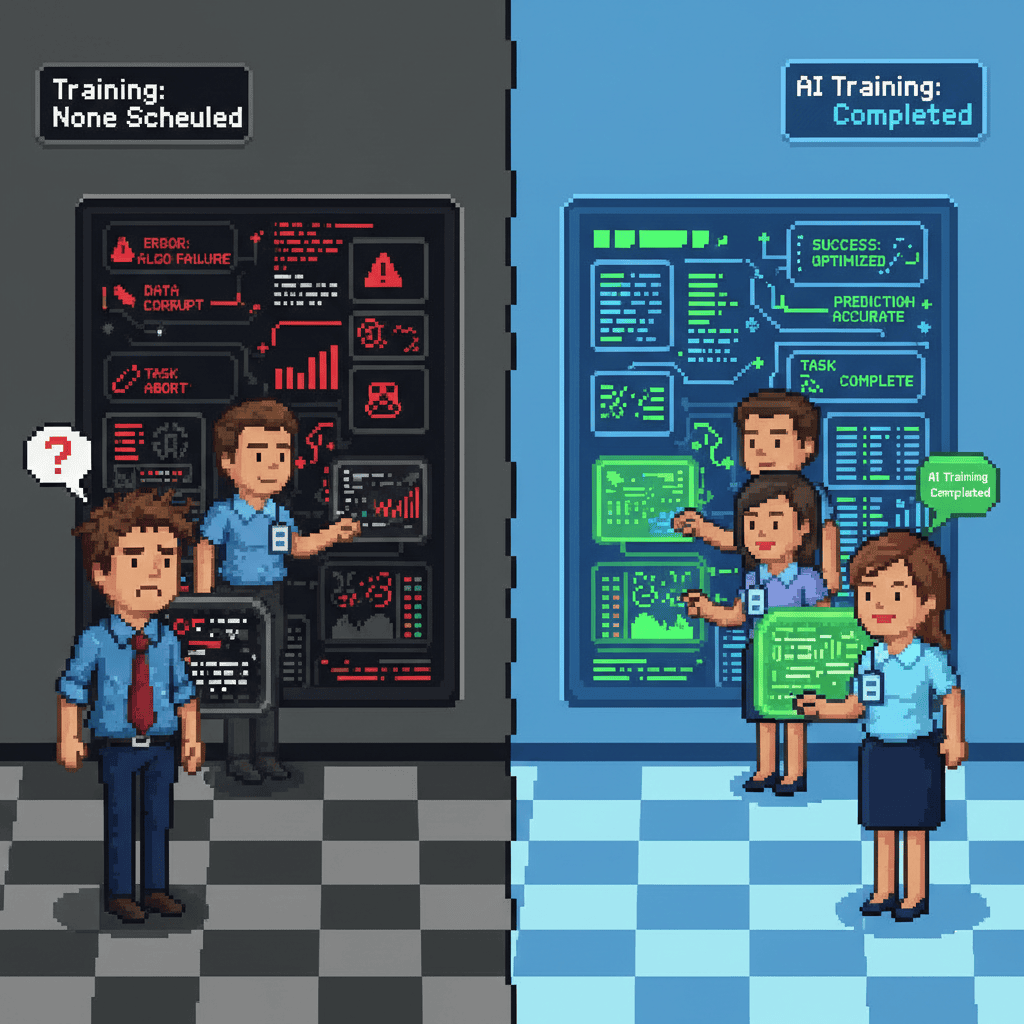
Skipping Employee Training
One of the most damaging AI employee training mistakes: assuming your team will figure it out on their own.
Skipping Employee Training
A company subscribes to an AI platform, sends one email to the team saying “use this,” and expects the benefits to materialize. Employees either ignore the tool entirely or use it badly because they were never trained on how it works.
This is one of the most damaging AI employee training mistakes because it guarantees the initiative fails, even if the tool itself is excellent. Technology without trained people behind it produces nothing.
Business owners underestimate the learning curve. They assume that digital natives will figure it out on their own. They treat AI as intuitive when it is not.
A Boston Consulting Group study found that employees who received structured AI training were 2.5 times more likely to use AI tools effectively and reported higher productivity gains than untrained peers. This statistic directly addresses the AI adoption failure rate: untrained teams generate the majority of failed AI projects.
How to fix it:
- Start with AI literacy: What is AI? What can it do? What are its limitations?
- Create role-specific training. A customer service rep needs different AI skills than a content writer.
- Build a prompt library for common tasks your team performs.
- Schedule recurring monthly 30-minute workshops.
When teams know how AI saves employees hours every week, adoption rates climb. Training is not a one-time event. It is an ongoing investment in your team’s effectiveness.
Poor Prompt Design
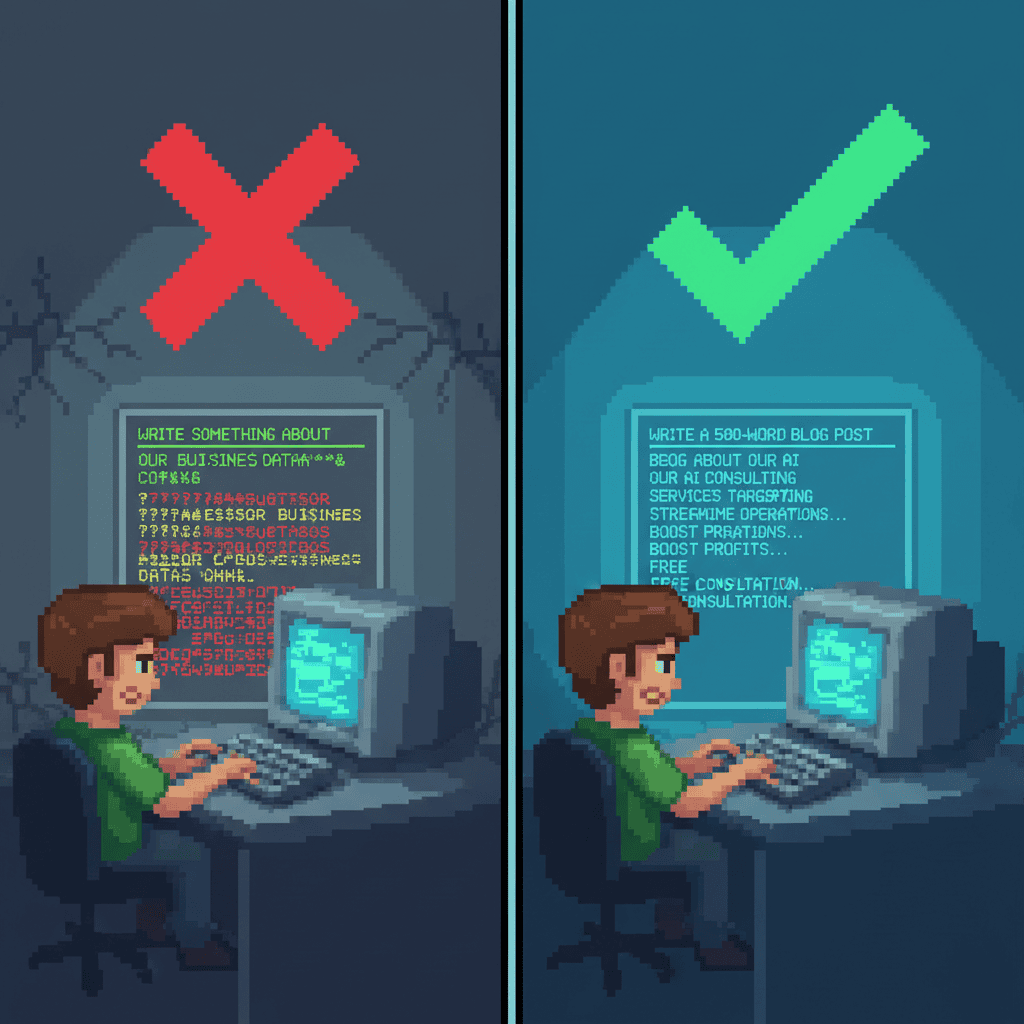
Employees type a vague request and receive output so generic it could apply to any company. They conclude AI is useless.The issue is not the AI. The issue is the input. People treat AI like a search engine and expect magic from vague instructions, when AI needs context, constraints, and examples to produce useful results.
AI prompt design mistakes are one of the most overlooked implementation failures because they happen at the individual level. Nobody tracks them or notices the pattern, and teams quietly give up.
How to fix it with the CORE framework:
We recommend a simple framework for prompt writing that anyone on your team can learn in 15 minutes.
- Context: Give the AI background information. (“We are a small WordPress agency specializing in local SEO for service businesses.”)
- Objective: Tell it exactly what you want. (“Write a 1,200-word blog post targeting the keyword ‘local SEO checklist.’”)
- Role: Assign a persona. (“You are a marketing copywriter for a digital agency that values plain language.”)
- Examples: Show the AI what good output looks like. (“Here is a sample post from our blog: [paste example].”)
A vague prompt might produce 200 words of filler. A structured prompt produces a usable first draft. Google’s AI prompt engineering guide confirms that specificity and context dramatically improve output quality across all major AI platforms.
This is one area where very few AI implementation articles spend time, which makes it a unique advantage for small businesses willing to invest a few hours in training.
Unrealistic Expectations About ROI
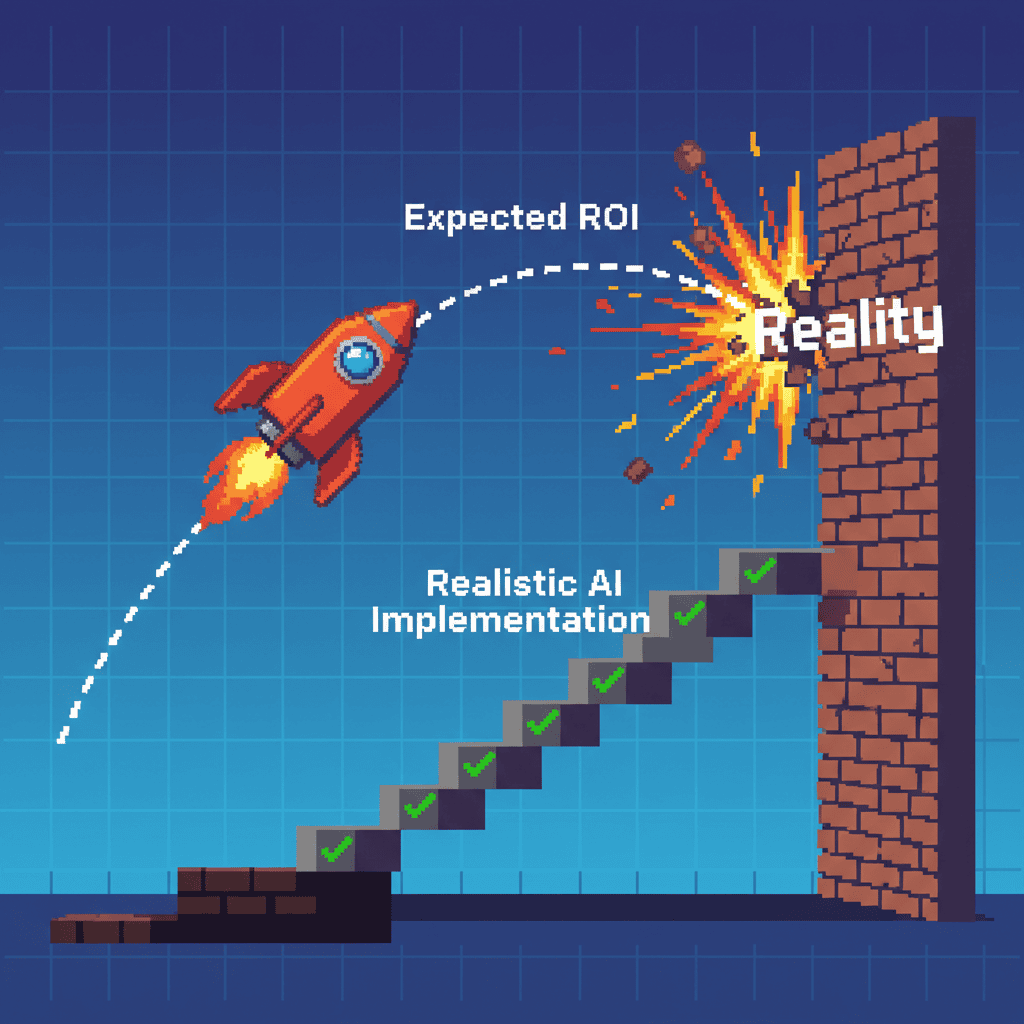
A business owner expects AI to pay for itself within 30 days. When it doesn’t, they cancel the subscription and tell everyone it didn’t work.
This happens because vendor marketing makes AI sound like a flip-the-switch solution. A business compares itself to Fortune 500 case studies that have nothing to do with a 10-person company. They set expectations based on hype rather than reality.
Harvard Business Review notes that most AI initiatives take six to 12 months to show measurable ROI, with significant variation by use case. Unrealistic AI expectations cause many small businesses to abandon promising initiatives before the financial impact follows.
How to fix it:
- Set a realistic timeline: three to six months for initial results, 12 or more months for transformational impact.
- Start with a pilot project in one department or function.
- Define leading indicators alongside lagging ones: usage rates, employee satisfaction, time saved per task.
- Track both quantitative metrics (hours saved, cost reduced) and qualitative ones (employee confidence, customer feedback).
For a deeper look at what meaningful AI metrics look like, see our guide on measuring AI ROI beyond cost savings.
Neglecting Data Quality and Preparation
A business feeds messy, incomplete, or outdated data into an AI system and gets unreliable outputs. The classic “garbage in, garbage out” problem, amplified by AI.
Small businesses often have data scattered across spreadsheets, email inboxes, CRM systems, and paper files. Nobody has consolidated it or checked it for errors. AI processes whatever you give it, and the results reflect the quality of the input.
IBM estimates that poor data quality costs US businesses $3.1 trillion annually. AI amplifies bad data, turning one incorrect field into wrong recommendations and eroded customer trust.
How to fix it:
- Conduct a simple data audit: What data do you have? Where is it stored? How clean is it?
- Create a data quality checklist covering completeness, consistency, accuracy, and timeliness.
- Start with one clean dataset rather than trying to fix everything at once.
- For WordPress businesses: clean up your WooCommerce product data, customer records, and content archives before applying AI.
You do not need a data engineering team, just a Saturday afternoon and a spreadsheet. Start with the dataset that drives your most critical business decisions, whether that is your customer list, your product catalog, or your content archive. Clean data compounds: every AI tool you add in the future will produce better results from day one.
Choosing Tools Before Defining Problems
A business subscribes to ChatGPT, Jasper, Midjourney, and Copilot simultaneously without understanding which problem each one solves. Within two months, they have subscription bloat and low utilization.
Tool-first thinking is driven by fear of missing out and vendor marketing that promises one tool for everything. But no single AI platform does everything well. Choosing the right tool requires knowing the problem first.
The Problem-First Framework:
- List your top three business pain points.
- For each, ask: “Can AI help here? If yes, how specifically?”
- Research tools that address those specific pain points.
- Pilot one tool for one problem before expanding to others.
Create a simple decision matrix: Problem, Desired Outcome, Tool Options, Cost, Timeline. The exercise alone will save you hundreds of dollars in unnecessary subscriptions. For WordPress businesses, one well-chosen AI content assistant outperforms five underutilized platforms.
For readers evaluating specific tool categories, our comparison of choosing between AI agents and chatbots can help you understand what each category does well.
Overlooking Human Oversight and Ethics
A business deploys AI to handle customer communications or content generation without human review. The AI makes factual errors, generates wrong product information, and shows bias in automated responses.
Overconfidence in AI, combined with cost-cutting pressure, pushes teams to remove humans from the loop. But AI does not understand context the way your team does, does not know your brand values, and cannot tell when a customer needs empathy, not efficiency.
Human-in-the-loop AI is not a luxury. It is a requirement for any AI-generated content or communication that reaches your customers or the public.
How to fix it:
- Establish a human-in-the-loop policy: Every AI-generated output that reaches customers must be reviewed by a human.
- Assign specific oversight roles: Who reviews AI outputs? Who handles edge cases?
- Create an AI ethics checklist: Is the output accurate? Is it appropriate? Is it on brand? Does it respect privacy?
- For WordPress businesses: never publish AI-generated content without human editing. Always review AI-generated images for brand alignment.
AI should handle the heavy lifting, not the final judgment. We have seen clients build simple review checklists that take five minutes but prevent brand-damaging mistakes, proving that a small investment in human oversight pays for itself the first time it catches an error.
Your AI Implementation Action Plan
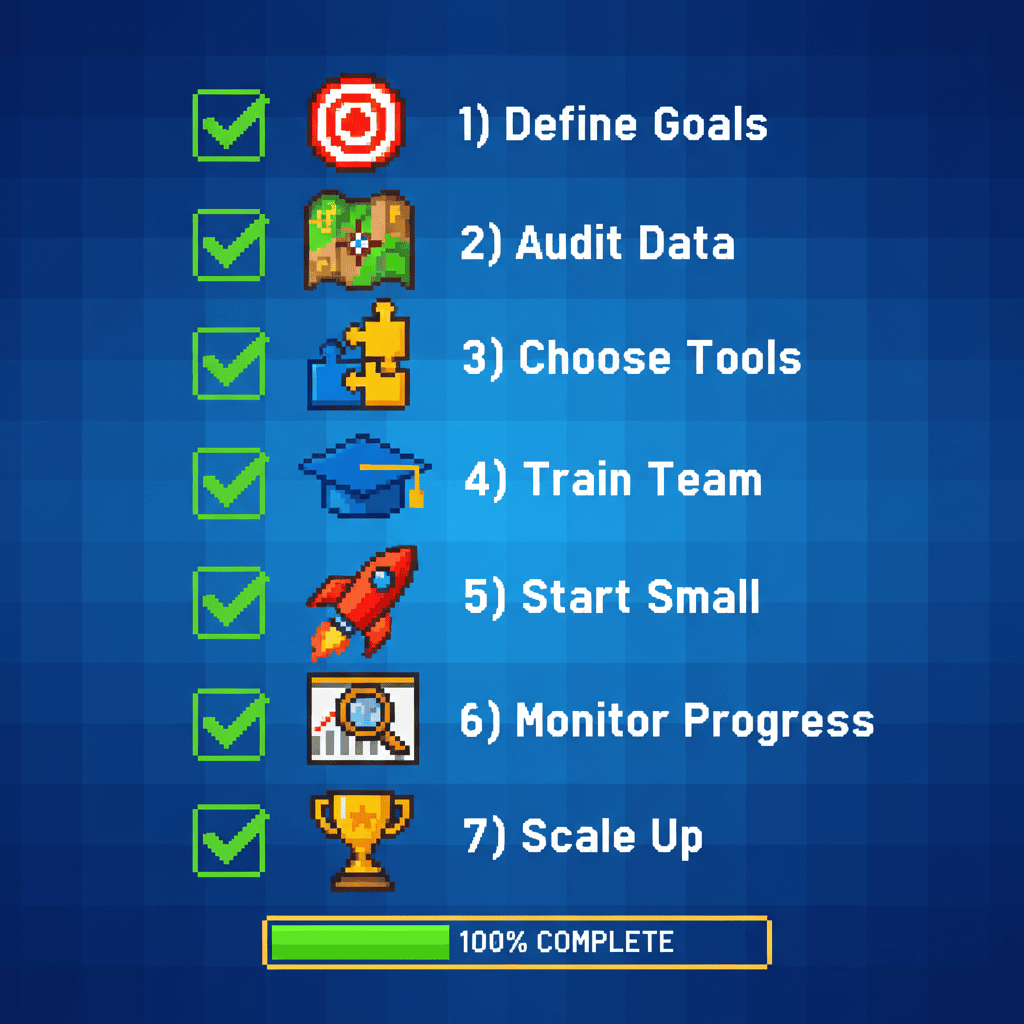
Knowing the mistakes is one thing. Avoiding them is another. Here is an action plan you can implement this week.
7 Steps to Avoid Common AI Implementation Mistakes
- Define two to three specific AI goals before buying any tools.
- Invest in employee AI training before deployment.
- Use the CORE framework (Context, Objective, Role, Examples) for all prompts.
- Set a realistic six to 12 month ROI timeline with leading indicators.
- Audit and clean your data before feeding it to AI systems.
- Identify problems first, then choose tools that solve them.
- Always keep a human in the loop for AI-generated customer-facing content.
Common AI Implementation Mistakes at a Glance
| Mistake | Impact | Solution | Time to Fix |
|---|---|---|---|
| Unclear goals | Wasted budget, low adoption | AI readiness assessment + measurable goals | 1 week |
| No training | Low usage, poor output quality | Monthly role-specific workshops | 2 to 4 weeks |
| Poor prompts | Useless output, team gives up | CORE framework training | 1 day |
| Unrealistic ROI | Early abandonment of good tools | 6 to 12 month timeline + leading indicators | 1 week |
| Bad data | Unreliable AI outputs | Data audit + quality checklist | 1 to 2 weeks |
| Tool-first thinking | Subscription bloat, low utilization | Problem-First Framework | 1 day |
| No human oversight | Brand damage, errors, bias | Human-in-the-loop policy | 1 week |
Frequently Asked Questions
What is the failure rate of AI projects?
According to Gartner, up to 85% of AI projects fail to deliver their intended outcomes. Most failures are caused by preventable issues like unclear goals, lack of training, and unrealistic expectations rather than technical limitations.
How long does AI implementation take for a small business?
For small businesses, initial AI implementation typically takes three to six months to see meaningful results, with full integration and ROI realization taking 12 to 18 months. Starting with a focused pilot project can accelerate this timeline.
How much does AI implementation cost for a small business?
AI implementation costs for small businesses vary widely based on scope. Simple AI tool subscriptions cost $20 to $200 per month per user. Custom AI solutions with integration typically range from $5,000 to $20,000 for initial setup, plus ongoing maintenance.
What are the most common AI implementation mistakes?
The seven most common mistakes are: unclear goals, skipping employee training, poor prompt design, unrealistic ROI expectations, neglecting data quality, choosing tools before defining problems, and overlooking human oversight.
How do you successfully implement AI in a small business?
Start with a clear problem statement, invest in employee training, begin with a small pilot project, set realistic metrics, and maintain human oversight of all AI-generated outputs. A formal AI readiness assessment can help identify the right starting point.
Conclusion: How to Avoid AI Implementation Mistakes the Right Way
The seven common AI implementation mistakes outlined above help explain why AI projects fail so often. They are planning, training, and strategy failures, not technical ones. And they are all avoidable.
AI is a powerful tool for small businesses, but it requires the same foundation-first approach that works for everything else: clear goals, trained people, clean data, and ongoing oversight. As digital architects, we build businesses on solid foundations, not quick fixes.
The businesses that succeed with AI treat it as a long-term investment, not a quick win. They start small, train their teams, measure what matters, and keep humans involved in every customer-facing decision. Strategy first, tools second, people always.
Ready to avoid these common AI implementation mistakes and get AI right the first time? Schedule a Free AI Readiness Consultation with Pixel Studio Creations. We will help you build an AI strategy, train your team, and avoid the costly mistakes that derail most AI projects.