
Published: July 10, 2026 | Last updated: July 10, 2026
By Marcus Thompson, Pixel Studio Creations
You are staring at employee timesheets, wondering where the hours go. Data entry, CRM updates, meeting notes, scheduling, and pulling reports. The tasks stack up, and your team barely has time for the work that grows your business.
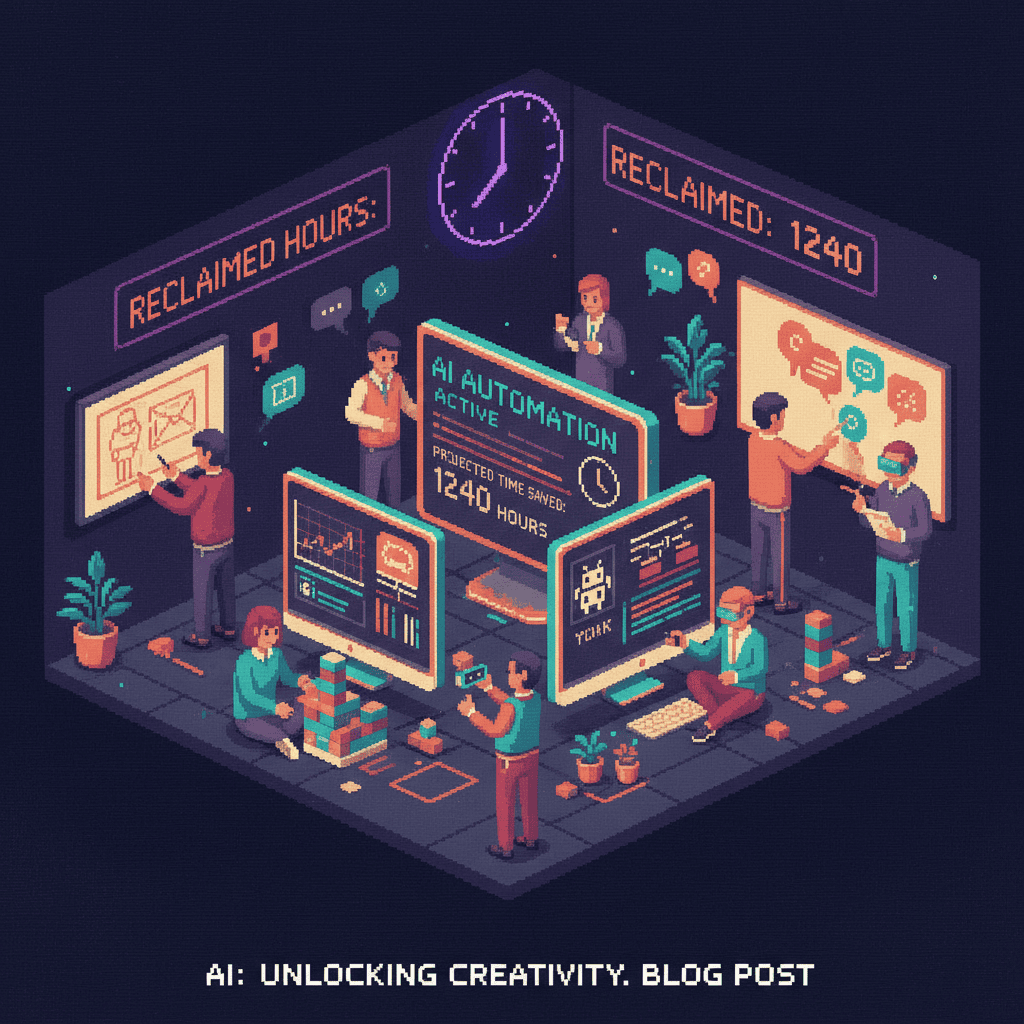
Here is the good news: AI tools can save employees hours on these exact tasks today, and the savings are measurable. Across five specific business functions, AI can reclaim 5 to 15 hours every week per employee.
In this guide, we break down exactly how many hours your team can reclaim across document processing, CRM updates, note-taking, scheduling, and reporting. Remember, AI is not about replacing your team. It is about giving them back hours for higher-value work.
How Much Time Can AI Actually Save Your Employees?
McKinsey Global Institute reports that AI can save employees 20 to 30 percent of their workweek on routine tasks (source: McKinsey, “The State of AI,” 2025). For a standard 40-hour workweek, that translates to 8 to 12 hours reclaimed per employee.
Here is a realistic breakdown by category:
| Business Function | Hours Saved Per Week | Difficulty to Automate |
|---|---|---|
| Document Processing | 3-5 hours | Low |
| CRM Updates | 2-4 hours | Low |
| Reporting and Analytics | 2-4 hours | Medium |
| Meeting Notes | 2-3 hours | Very Low |
| Scheduling | 1-2 hours | Very Low |
| Total | 10-18 hours |
A conservative estimate is 5 to 15 hours per week, depending on your team’s current manual workload. For a 5-person team, that adds up to 200 hours per month of reclaimed productivity, the equivalent of hiring two full-time employees without adding headcount.
Stanford HAI’s AI Index Report (2025) confirms that businesses deploying AI across multiple functions see compounding time savings as tools integrate with each other (Stanford HAI AI Index Report).
Why Small Businesses Benefit Most from AI Time Savings
Each hour matters more at a small business. Fewer employees means everyone wears multiple hats. A developer is also the invoicing clerk. A project manager is also the scheduler.
A 10-person company reclaiming 10 hours per week per employee gains 400 hours per month. At an average employee cost of $35 to $50 per hour including overhead, that is $14,000 to $20,000 in monthly productivity recovered. Compare that to AI tool costs of $20 to $100 per month per seat, and the return is staggering.
Gartner reports that 75 percent of small businesses plan to adopt AI by 2027 (Gartner AI Adoption Research). The World Economic Forum’s “Future of Jobs” report reinforces this trend. The businesses that move early gain a competitive edge: faster client service, better decisions with real-time data, and teams focused on creative work.
Modern AI tools are designed for non-technical users. Most require nothing more than connecting an account and toggling a setting.
Document Processing: Save 3 to 5 Hours Per Week
Data entry, invoice processing, form handling, and contract review consume 3 to 5 hours per week per employee. AI-powered optical character recognition (OCR) and intelligent document processing can cut that dramatically.
- Upload or scan documents to an AI-powered tool
- AI extracts key fields (amounts, dates, names, line items) with 95 percent or higher accuracy
- Extracted data flows directly into your accounting, CRM, or ERP system
- A human reviews exceptions only (the 5 percent that need attention)
The result: 4 hours of manual data entry drops to 30 minutes of review. That is 3.5 hours saved per week, per employee.
Recommended tools: DocuSign Insight ($25/month), Adobe Acrobat AI ($20/month), HubSpot Document Scanning (Professional plan), and WPForms with AI Add-on (free to $49/year for WordPress sites).
A 5-person accounting firm we worked with reduced invoice processing from 12 hours per week to 3 hours per week using AI document processing. The team redirected those 9 hours toward client advisory work, directly increasing revenue per employee.
For marketing-specific document automation, see our AI workflows for marketing teams guide.

CRM Updates and Data Management: Save 2 to 4 Hours Per Week
Sales reps spend 15 to 20 percent of their time on CRM data entry instead of selling. For a rep working 40 hours per week, that is 6 to 8 hours of administrative work generating zero revenue. AI-powered CRM automation handles contact enrichment, pipeline updates, activity logging, and follow-up scheduling.
- AI captures email and calendar interactions automatically, logging them as CRM activities
- Contact enrichment fills in missing company data (size, industry, revenue) from public sources
- AI updates deal stages based on engagement signals (email opens, meeting attendance, proposal views)
- Smart follow-up suggestions arrive based on deal stage and communication history
Time savings: from 3 hours per week of manual CRM updates to 30 minutes of review. That is 2 to 4 hours saved per week.
Recommended tools: Salesforce Einstein ($50/user/month), HubSpot AI CRM (Professional plan), Zoho Zia ($14/user/month), and Pipedrive AI ($14/user/month).
A 3-person sales team at a local services company saved 8 hours per week total by automating CRM updates with HubSpot AI. The sales manager told us, “We stopped losing deals because someone forgot to log a follow-up email.”
Quick setup: Connect your email (Gmail or Outlook) to your CRM for automatic activity logging, enable AI contact enrichment in your CRM settings, and set up deal stage automation rules based on engagement signals. Estimated setup time: 2 to 3 hours once, then ongoing savings every week. For startup-specific CRM strategies, see our AI guide for startups.
Meeting Notes and Transcription: Save 2 to 3 Hours Per Week
The average professional attends 12 to 15 meetings per week. Manual note-taking takes 15 to 20 minutes per meeting (transcription, action items, distribution). That is 3 to 5 hours per week of post-meeting work.
- AI joins your meeting (Zoom, Google Meet, or Teams) as a participant
- Real-time transcription captures every word with speaker identification
- Post-meeting, AI generates a summary with key decisions, action items, and deadlines
- Summary and action items are shared via email, Slack, or pushed to your project management tool
Time savings: 20 minutes of post-meeting work drops to 2 minutes of review. Across 12 to 15 meetings, that is 2 to 3 hours saved per week.
Recommended tools: Otter.ai ($16.99/month), Fireflies.ai ($18/month), Microsoft Copilot ($30/user/month with M365), and tl;dv (free tier available).
A 4-person consulting team cut post-meeting documentation from 5 hours per week to 45 minutes using Otter.ai. The freed time went straight into billable client work.

Scheduling and Calendar Management: Save 1 to 2 Hours Per Week
Scheduling back-and-forth consumes 30 to 60 minutes per week. Calendar optimization adds another 30 to 60 minutes. AI scheduling assistants handle booking, rescheduling, and calendar optimization automatically.
- Share your availability link (AI determines open slots based on your calendar)
- AI handles rescheduling when conflicts arise, finding new times for all parties
- AI protects focus time by blocking deep-work windows and preventing meeting sprawl
- Smart reminders and prep time buffers are added automatically
Recommended tools: Calendly (free tier + $12/user/month Pro), Reclaim.ai (free tier + $10/user/month), Clockwise ($6.75/user/month), and Motion ($19/month).
A 6-person agency reclaimed 7 hours per week collectively by switching from manual scheduling to Calendly plus Reclaim.ai.
Quick win: Export your calendar for the past 2 weeks, identify meetings that could be shortened or eliminated, set up AI scheduling links for external meetings, and enable AI calendar protection for focus time blocks. Estimated setup: 1 hour. Ongoing savings: 1 to 2 hours per week.
Reporting and Analytics: Save 2 to 4 Hours Per Week
Small business owners spend 2 to 4 hours per week compiling reports from Google Analytics, social media dashboards, financial reports, and project management tools. AI-powered reporting tools connect to your data sources and generate insights automatically.
- Connect data sources (Google Analytics, social platforms, CRM, accounting software)
- AI generates automated dashboards with key metrics and trends
- Natural language insights explain what the data means (“Website traffic increased 15 percent this week, driven by a blog post that went viral on LinkedIn”)
- Automated reports are delivered to your inbox or Slack on your schedule
Recommended tools: Google Looker Studio (free), Power BI Copilot ($10/user/month), Tableau AI ($75/user/month), and Databox ($59/month).
A local marketing agency cut weekly reporting from 6 hours to 45 minutes using Google Looker Studio with AI insights, redirecting those hours toward client strategy work.
How to Calculate Your AI Time Savings ROI
Quantifying the financial return makes the business case airtight. Here is a simple ROI framework any small business can use.
The Formula: ROI = (Hours Saved x Employee Hourly Rate x Weeks per Year) minus (Annual AI Tool Cost)
| Input | Value |
|---|---|
| Average hourly rate (including overhead) | $40/hour |
| Hours saved per employee per week | 10 hours (conservative) |
| Annual time savings per employee | 10 x $40 x 52 = $20,800 |
| Team total (5 employees) | $104,000/year |
| Typical AI tool investment | $100-500/month = $1,200-6,000/year |
| Net ROI | $98,000-102,800/year |
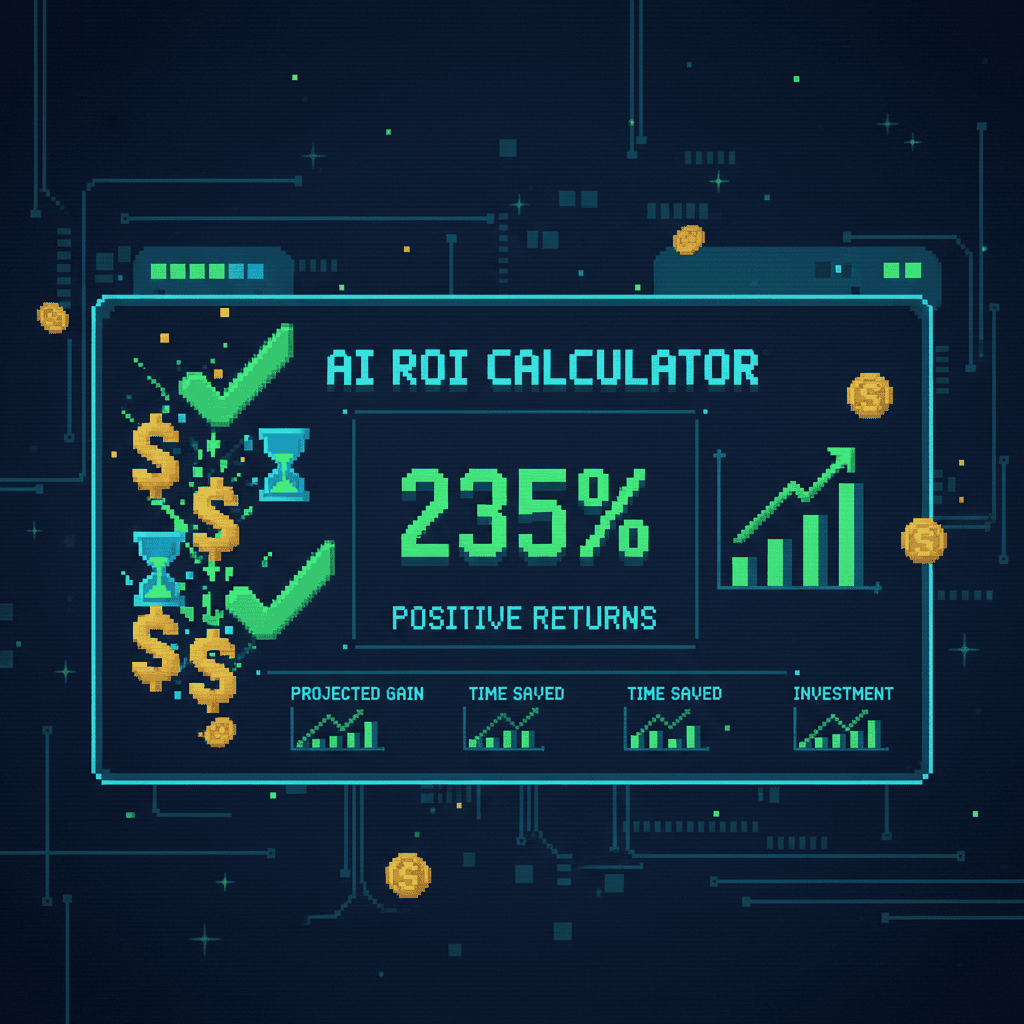
Most small businesses see full ROI within 2 to 4 weeks of implementation. Harvard Business Review research confirms that early AI adopters see disproportionate returns compared to late movers (HBR AI Productivity Research).
The formula does not capture hidden benefits either: reduced employee burnout, faster client response times, fewer human errors, and improved data accuracy all compound over time.
Getting Started: A 4-Week Implementation Plan
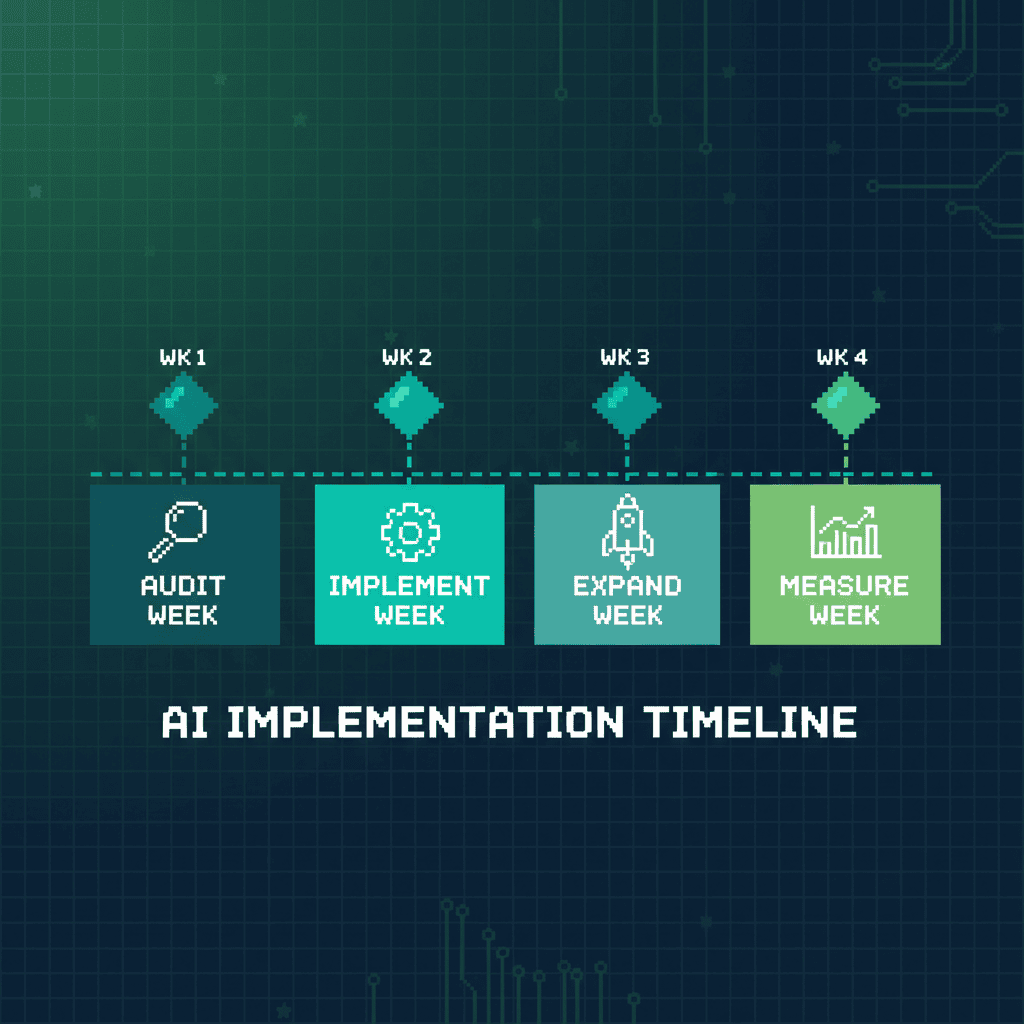
The biggest mistake businesses make with AI is trying to automate everything at once. Follow this structured 4-week plan instead.
Week 1: Audit Your Current Time Usage
- Track how your team spends time for one week (use Toggl, Clockify, or manual timesheets)
- Identify the top 3 time-consuming repetitive tasks
- Calculate the current cost of those tasks (hours multiplied by hourly rate)
Week 2: Implement Your Highest-Impact Tool
- Start with the task that consumes the most time (usually document processing or CRM updates)
- Choose a tool with a free tier or low entry price
- Set up the tool with one team member as a pilot
Week 3: Add 1 to 2 More Automations
- Layer in scheduling automation and meeting note transcription
- Connect tools to your existing workflow (email, CRM, project management)
- Train a second team member
Week 4: Measure Results and Expand
- Compare Week 4 time usage to Week 1 baseline
- Calculate actual hours saved and ROI
- Share results with the team and plan expansion
Common Pitfalls to Avoid
- Trying to automate everything at once (start with one task)
- Skipping the time audit (you need a baseline to measure improvement)
- Choosing tools before understanding the process (map the workflow first)
- Not training the team (adoption is everything)
Want expert help implementing AI time savings for your team? Contact Pixel Studio Creations for a free consultation.
The Bottom Line: Your Team’s Time Is Your Biggest Asset
AI can save your employees 5 to 15 hours per week across document processing, CRM updates, note-taking, scheduling, and reporting. The ROI is clear: most small businesses see payback within weeks, not months. A 5-person team investing $3,000 per year in AI tools can reclaim over $100,000 in annual productivity.
The real win is not just the hours saved. It is what your team does with those hours: serving clients better, growing the business, and doing creative work that AI cannot replace. Remember, AI is augmentation, not replacement.
Ready to give your team hours back every week? Contact Pixel Studio Creations for a free AI productivity consultation. We will help you identify the highest-impact time savings and implement the right tools for your team.
Know a business owner who is drowning in manual tasks? Share this guide with them.
Frequently Asked Questions About AI Employee Time Savings
How much time can AI save employees per week?
AI can save employees 5 to 15 hours per week on routine tasks, depending on role and current manual workload. McKinsey research indicates AI handles 20 to 30 percent of workweek tasks for knowledge workers. The biggest savings come from document processing (3 to 5 hours), CRM updates (2 to 4 hours), and reporting (2 to 4 hours).
What tasks can AI automate in a small business?
AI can automate document processing, CRM management, meeting transcription, scheduling, report generation, email filtering, and social media scheduling. Tasks requiring creative judgment and relationship building should remain human-led.
Is AI worth the investment for small businesses?
Yes. Most small businesses see ROI within 2 to 4 weeks. A 5-person team saving 10 hours per week at $40 per hour recovers $104,000 in annual productivity against typical AI tool costs of $1,200 to $6,000 per year.
How do I start using AI to save time at work?
Audit how your team spends time for one week. Identify the top 3 most time-consuming repetitive tasks. Choose one AI tool that addresses the biggest time sink. Implement it with one team member as a pilot, measure results for 4 weeks, then expand.
What are the best AI tools for employee productivity?
For document processing, try DocuSign Insight or Adobe Acrobat AI. For CRM automation, HubSpot AI or Salesforce Einstein lead the market. For meeting notes, Otter.ai and Fireflies.ai are top choices. For scheduling, Calendly and Reclaim.ai are the most popular. For reporting, Google Looker Studio is free and effective.
How does AI improve employee efficiency?
AI improves efficiency by handling repetitive, rule-based tasks that consume 20 to 30 percent of a knowledge worker’s week. By automating data entry, scheduling, note-taking, and reporting, AI frees employees to focus on creative work and client relationships that drive growth.
Can AI replace repetitive tasks completely?
AI can handle 80 to 95 percent of repetitive task volume automatically. The remaining 5 to 20 percent requires human review for exceptions and quality assurance. The optimal approach is human-AI collaboration.
What is the ROI of AI automation for small businesses?
ROI is typically 10x to 20x the annual tool cost. A business investing $3,000 per year in AI tools that saves 10 hours per week per employee sees $104,000 or more in annual productivity gains for a 5-person team. Most businesses achieve payback within the first month.