
Author: David Chen, WordPress Specialist at Pixel Studio Creations Published: July 7, 2026 | Last updated: July 7, 2026
Is AI website management right for your business — or is it a shortcut that creates more problems than it solves? After building and managing WordPress sites for over a decade, we’ve tested dozens of AI tools on real client projects. Some delivered genuine time savings. Others nearly cost us a client.
The truth sits between the hype and the fear. AI website management is neither a magic wand nor a ticking time bomb. It works well when you understand what it can do, what it can’t, and where you still need a human in the loop.
This guide covers what AI website management actually is, the real benefits with real data, the honest risks, and a decision framework you can apply today. No sales pitch — just practitioner experience distilled into something useful.
Looking for a broader introduction to the concept? Start with our comprehensive guide to AI agent website management for foundational context.
What Is AI Website Management? (And What It Isn’t)
AI website management is the use of artificial intelligence agents to monitor, maintain, update, and optimize an existing website — distinct from AI website builders that create sites from scratch.
This distinction matters more than you’d think. It’s the single biggest source of confusion in this space, and most content from competitors mixes them up.
AI website builders (like Wix ADI, Elementor AI, or Hostinger’s AI builder) create websites from prompts. You describe what you want, and they generate pages. They’re design tools — great for getting started, but they stop working the moment your site is live.
AI website managers (like SiteGround AI Agent, Rank Math AI, or MCP-connected tools) take over the ongoing work of keeping an existing site healthy, optimized, and secure. They don’t build your site — they maintain it. Think of it as the difference between an architect who draws blueprints and a facilities manager who keeps the building running.
What do AI managers actually handle? Content updates, security monitoring, SEO optimization, performance monitoring, plugin management, and backup scheduling. These are the repetitive, time-consuming tasks that eat into your week.
What they don’t do? Strategic business decisions, brand voice creation, complex custom development, or crisis management. AI can suggest — but it can’t replace the judgment calls that define your business.
How AI Website Management Actually Works
If you’ve never used AI for website management, the technology can feel abstract. Let’s make it concrete.
Most AI website management operates across three layers:
- The Monitoring Layer. AI tools watch your site around the clock — tracking uptime, scanning for malware, checking for broken links, and monitoring page speed. Tools like Jetpack, WP Umbrella, and Wordfence handle this continuously.
- The Action Layer. When the monitoring layer detects something routine, the action layer handles it. Plugin updates, content scheduling, minor SEO tweaks, backup execution — these happen automatically or with minimal configuration.
- The Decision Layer. For anything that affects business outcomes — publishing new content, major site changes, pricing updates — AI recommends but doesn’t execute. A human reviews, approves, and takes responsibility.
The emerging technology enabling this for WordPress is MCP (Model Context Protocol) — an open standard that lets AI agents connect directly to your WordPress site through standardized tools. Plugins like Easy MCP AI (242 tools, 100/100 rating) and Royal MCP (6,000+ installs) are making this integration accessible to small business owners.
Here’s a real workflow: An AI agent monitors your site overnight, detects a plugin vulnerability at 3 AM, updates the plugin, runs a security scan, and files a summary report. By morning, you see: “Plugin updated, security scan clear, site performance unchanged.” Total human effort: zero.
The Real Benefits: What AI Can Do for Your Website Right Now
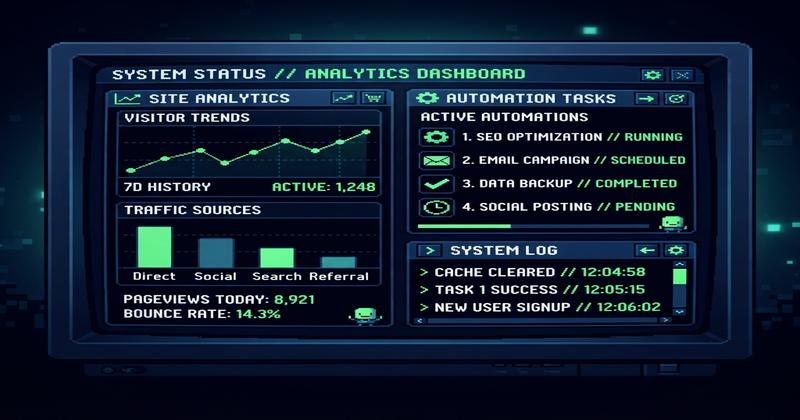
Let’s talk about what actually moves the needle for small businesses.
Time Savings You Can Measure
The average small business owner spends 5 to 15 hours per week on website maintenance tasks, according to HubSpot’s State of Marketing Report (2025). That includes plugin updates, content scheduling, security checks, performance monitoring, and troubleshooting.
AI handles most of those routine tasks in minutes — not hours. Automated plugin updates, scheduled backups, broken link detection, and content scheduling all run in the background.
At Pixel Studio Creations, we’ve automated routine WordPress maintenance tasks across our client sites, freeing our team to focus on strategy and custom development. The time savings are real and measurable.
Here’s the ROI math: If your time is worth $50 to $100 per hour (a conservative estimate for most business owners), even 5 hours per week of AI-automated maintenance saves $10,000 to $26,000 per year. The AI tools themselves typically cost a fraction of that — making the investment case straightforward.
24/7 Monitoring and Security
AI monitors your uptime, malware threats, and vulnerabilities around the clock. According to Wordfence’s 2025 WordPress security report, WordPress sites face millions of attack attempts daily — and the volume is growing year over year.
Automated responses block suspicious IPs, flag vulnerable plugins, and alert you before breaches become disasters. Sucuri’s Hacked Website Report found that the majority of compromised WordPress sites had outdated plugins or themes — exactly the kind of thing AI automation prevents.
You don’t need to be a security expert. You need a system that catches threats before they become headlines.
SEO Performance That Improves Itself
AI-powered SEO tools provide real-time optimization recommendations that compound over time. Yoast SEO (10 million-plus installs, 96/100 rating) and Rank Math (4 million-plus installs, 96/100 rating) both offer AI-assisted features for schema markup, meta descriptions, internal linking suggestions, and content optimization.
AI won’t replace your SEO strategy — but it will execute the tactical optimizations that most small business owners never get around to. Automated schema markup, real-time content scoring, and SERP analysis recommendations happen continuously, not just when you remember to check.
For businesses investing in local SEO visibility, AI tools can monitor Google Business Profile performance, track local rankings, and flag changes in map pack positioning — tasks that would otherwise require manual checking. And if you’re investing in content creation services, AI optimization tools ensure each piece is structured for maximum search visibility from day one.
The Trust Problem: What Can Go Wrong (And How to Prevent It)

The risks of AI website management include factual content errors, broken site functionality from updates, SEO ranking drops from automated changes, and false security alerts blocking legitimate traffic.
These aren’t hypothetical concerns. Here’s what we’ve seen in practice:
Factual errors in AI-published content. AI content tools generate plausible text that may contain inaccurate statistics, outdated information, or fabricated claims. Publishing without review damages your credibility and can trigger Google penalties for misleading content.
Broken functionality from automated updates. Plugin updates occasionally conflict with themes or other plugins. Without a human verifying changes, you might wake up to a broken checkout page or a contact form that stopped working.
SEO changes that tank rankings. An AI agent optimizing your title tags or restructuring internal links could make changes that hurt your search visibility. Recovering from a ranking drop can take months of focused effort.
False positive security blocks. Automated security tools sometimes block legitimate visitors — a caching IP, a CDN node, or a returning customer on a VPN. Every blocked visitor is a lost sale.
The SiteGround AI Agent illustrates the trust gap. With over 1 million installs on WordPress.org, adoption is high — but the plugin carries only a 26 out of 100 user rating. People are trying AI tools. They’re not loving them yet. High adoption doesn’t equal high trust.
Mitigation Framework
Before giving any AI tool control over your site:
- Start with monitoring only. Let AI watch and report before letting it act.
- Require human approval for publishing. No AI-generated content goes live without review.
- Create staging environments. Test automated updates before they hit production.
- Set up rollback procedures. Ensure you can undo any automated change within minutes.
- Monitor AI actions. Keep logs of what AI tools do and review them regularly.
Should YOU Use AI Website Management? A Decision Framework
Not every business needs AI website management. Some benefit enormously. Others are better off with traditional maintenance. Here’s how to figure out which category you fall into.
The AI Management Readiness Assessment
Rate yourself on these seven criteria. Be honest — the answers determine whether AI management is a smart investment or an unnecessary expense.
- Site Complexity. Simple blog or brochure site: great fit. Custom e-commerce with complex integrations: partial fit at best.
- Update Frequency. Weekly content updates: high AI value. Quarterly updates: low value.
- Budget. Free tools cover basic needs. Premium tools ($50–$200/month) deliver comprehensive management. The question isn’t whether you can afford AI — it’s whether you can afford the time you’re spending manually.
- Technical Comfort. Non-technical owners benefit most from AI handling routine tasks. Technical owners may prefer manual control and oversight.
- Risk Tolerance. Low tolerance: start with monitoring only, expand gradually. High tolerance: move to automated actions faster, but always with rollback capabilities.
- Business Stage. Startups benefit from early automation — you build scalable processes from day one. Established businesses benefit from AI augmenting existing workflows.
- Time Availability. If you have fewer than 5 hours per week for site maintenance, AI delivers the highest ROI for you. If you have more than 15 hours, you may have other process problems that AI won’t solve.
Decision Tree by Business Type
Solo service business (consultant, lawyer, accountant): AI monitoring plus automated SEO delivers high value at low risk. Your site is your digital storefront — keeping it fast, secure, and optimized is essential, and AI handles most of it.
Local retail or store: AI for content updates, Google Business Profile management, and review monitoring makes sense. You’re competing on local visibility, and AI keeps the technical details running smoothly.
E-commerce: AI for inventory updates, product descriptions, and security — but human oversight is critical for pricing, promotions, and customer-facing messaging. The stakes are too high to let AI run unsupervised on revenue-generating pages.
Startup or SaaS: Automate early to build scalable processes. Use free tools initially, upgrade as you grow. Landing page optimization, A/B testing, and performance monitoring are natural fits.
Agency managing multiple sites: AI at scale is transformative. This is where tools like MCP-connected WordPress plugins and multi-site monitoring platforms deliver the most value — one AI agent, many sites.
If your assessment points toward a fresh start rather than optimization, consider a website makeover and SEO refresh to establish the right foundation before layering on AI tools.
Human-in-the-Loop: The Model That Actually Works

Human-in-the-loop (HITL) AI website management is a model where AI handles routine monitoring and execution while humans review, approve, and override decisions that affect business outcomes. It combines AI’s speed and consistency with human judgment and accountability.
This isn’t a compromise — it’s the only approach that’s both effective and responsible. Full automation is reckless. Full manual management is exhausting. HITL is sustainable.
The Three-Tier Approval Model
At Pixel Studio Creations, we use a three-tier system that balances efficiency with control:
Tier 1: Auto-Approve. AI acts without review. Low-risk routine tasks: security updates, uptime monitoring, backup scheduling, broken link fixes. Minimal cost of error, significant value from automation.
Tier 2: Notify-and-Proceed. AI acts, then informs you. Plugin updates (with rollback ready), content scheduling, minor SEO adjustments. You’re informed after the fact.
Tier 3: Human-Approve. AI suggests, you decide. Content publishing, major site changes, pricing updates, new features. These decisions define your business and deserve human judgment.
This three-tier model gives you the efficiency of automation for routine maintenance while keeping human judgment in the loop where it matters.
AI vs. Human Website Management: An Honest Comparison
Neither AI nor humans win outright. The question isn’t “AI or human?” but “which tasks for which?”
| Task | AI Management | Human Management | Verdict |
|---|---|---|---|
| Uptime monitoring | 24/7, instant alerts | Periodic checks | AI wins |
| Security scanning | Continuous, automated | Manual audits | AI wins |
| Plugin updates | Automated, scheduled | Manual, error-prone | AI wins |
| Content creation | Fast but needs review | Slower but nuanced | Tie (HITL optimal) |
| SEO optimization | Data-driven, consistent | Strategic, creative | Tie (HITL optimal) |
| Brand voice | Generic patterns | Authentic, differentiated | Human wins |
| Strategic decisions | Can’t do | Essential | Human wins |
| Cost (monthly) | $0–$200 | $500–$2,000+ (staff/agency) | AI wins on cost |
| Crisis management | Limited | Essential | Human wins |
| Scalability | High (one tool, many sites) | Low (one person, few sites) | AI wins |
The takeaway: AI handles the repetitive, time-consuming tasks that don’t require judgment. Humans handle the creative, strategic, and relationship-driven work that defines your brand. The HITL sweet spot — combining both — consistently outperforms either approach alone.
Can AI replace web developers? No. AI handles routine maintenance, but developers handle strategy, custom builds, and complex problem-solving. The best outcomes come from AI handling the routine while developers focus on the work that actually moves the needle.
How Much Does AI Website Management Actually Cost?
Cost Breakdown by Tier
| Tier | Monthly Cost | What You Get | Best For |
|---|---|---|---|
| Free | $0 | Basic AI SEO (Yoast free), uptime monitoring (UptimeRobot), manual security (Wordfence free) | Solo bloggers, very small sites |
| Starter | $25–$75/mo | Premium SEO plugin, basic AI content tools, automated backups | Small businesses with 1–10 pages |
| Professional | $75–$200/mo | Full AI management suite, MCP tools, AI content + SEO + security, human oversight | Growing businesses, e-commerce |
| Agency/Enterprise | $200–$500+/mo | Multi-site management, advanced MCP integrations, dedicated AI agent, full HITL workflow | Agencies, multi-site businesses |
ROI Calculator Framework
Here’s how to determine whether AI website management pays for itself:
- Calculate your current cost. Hours spent on site maintenance multiplied by your hourly rate. If you spend 10 hours per week at $75/hour, that’s $3,000 per month.
- Calculate the AI-augmented cost. AI tool cost plus reduced human hours. A $100/month AI suite plus 3 hours of human oversight at $75/hour equals $325 per month.
- Subtract. Your net savings. In this example: $2,675 per month — a 32x return on the AI investment.
According to Gartner’s 2025 AI predictions, organizations that invest in AI automation see an average 25% reduction in operational costs within the first year. For small businesses managing their own websites, the savings can be even higher because the baseline is your own time.
Is It Worth It? A Quick Test
- If you spend more than $200 per month on manual maintenance, AI likely pays for itself.
- If your site has more than 10 pages needing regular updates, AI scales better than manual.
- If you have fewer than 5 hours per week for site tasks, AI fills the gap.
- If none of these apply, start free and upgrade as needs grow.
How to Choose the Right AI Tools for Your WordPress Site
The WordPress ecosystem has no shortage of AI tools — but not all of them are worth your time. Here’s our honest assessment based on hands-on experience.
For SEO Optimization
Yoast SEO (10 million-plus installs, 96/100 rating) remains the industry standard — reliable, well-supported, and simple enough for non-technical users with AI content analysis, readability scoring, and schema markup automation.
Rank Math SEO (4 million-plus installs, 96/100 rating) offers more features at the cost of a steeper learning curve — content AI scoring, advanced schema generation, and deeper analytics for power users.
Our recommendation: Yoast for simplicity. Rank Math for power users who want maximum control.
For Site Management and Security
Jetpack (3 million-plus installs) bundles security, backup, and performance monitoring — powerful but heavy. We’ve seen it slow down sites on shared hosting.
WP Umbrella (70,000 installs) offers lightweight multi-site monitoring with a single dashboard for uptime, performance, and plugin management.
Wordfence is security-focused and essential for any WordPress site. Its firewall, malware scanning, and threat intelligence are among the best available. We consider it a baseline requirement.
For AI Agent Connectivity (MCP)
Easy MCP AI (3,000 installs, 242 tools, 100/100 rating) is the most comprehensive MCP connector for WordPress, giving AI agents direct access to content management, plugin control, and site configuration.
Royal MCP (6,000 installs, 100/100 rating) takes a security-first approach — ideal if data privacy is a primary concern.
MCP is still an emerging space. These tools are early but maturing rapidly. For WordPress web development teams, MCP represents the future of how AI agents interact with WordPress sites.
Decision Criteria for Tool Selection
- Does it solve YOUR specific problem? Don’t install everything — start with one tool that addresses your biggest pain point.
- What human oversight does it require? Prefer tools with clear configuration for HITL workflows.
- Does it integrate with your existing stack? Compatibility matters more than features.
- What’s the community and support like? Active development and responsive support reduce risk.
- Start with one tool, add as needed. Resist the urge to automate everything on day one.
The Bottom Line: Finding the Right Balance for Your Business
The framework is simple: AI for routine, humans for judgment. The three-tier HITL model is the sustainable path forward — and it’s available to small businesses right now, not just enterprise teams.
If you’re a small business owner, start with AI monitoring and basic SEO automation. Add content automation gradually. Keep human oversight on all customer-facing content and anything that affects revenue.
If you’re a startup, automate early to build scalable processes. Use free tools initially, upgrade as you grow. The compounding value of automated SEO and performance monitoring is substantial over time.
If you’re a tech enthusiast or WordPress power user, explore MCP tools and AI agent connectivity. The future of AI-WordPress integration is here — getting ahead of it now puts you in a strong position as the ecosystem matures.
At Pixel Studio Creations, we’ve been building and managing WordPress sites for over a decade. We use AI tools every day — but we never let them operate without human oversight. That’s not a limitation. It’s the responsible way to leverage powerful technology for our clients’ businesses.
Ready to explore AI website management for your WordPress site? Contact us for a free assessment — we’ll help you find the right balance between automation and human expertise.
Frequently Asked Questions
What is AI website management?
AI website management uses artificial intelligence to automatically monitor, maintain, update, and optimize an existing website. It handles routine tasks like plugin updates, security scanning, SEO optimization, and content scheduling.
Can AI manage my website?
AI handles routine maintenance, monitoring, and optimization effectively — but strategic decisions, content creation, and crisis management still require human judgment. The most effective approach is human-in-the-loop: AI for routine work, humans for decisions that affect business outcomes.
What are the risks of AI website management?
The primary risks include factual errors in published content, broken functionality from automated updates, SEO ranking drops, and false security alerts blocking legitimate traffic. These are manageable with staging environments, rollback procedures, and human review.
How much does AI website management cost?
Costs range from free (basic tools like Yoast and UptimeRobot) to $500+/month for comprehensive management suites. Most small businesses find value in the $25–$200/month range, with ROI typically justified by time savings alone.
What is human-in-the-loop AI?
Human-in-the-loop AI website management means AI handles routine monitoring and execution while humans review, approve, and override decisions affecting business outcomes. It combines AI’s speed with human judgment — the most effective approach for small business websites.
Can AI replace web developers?
No. AI handles routine maintenance — plugin updates, uptime monitoring, basic SEO optimization. Strategic development, custom builds, and complex problem-solving still require experienced developers. The best outcomes come from both working together.
Should I use AI to manage my WordPress site?
It depends on your site complexity, update frequency, budget, and time availability. Businesses with more than 10 pages, limited maintenance time, and willingness to implement human oversight benefit most. Start with monitoring-only tools and expand gradually.
What are the best AI tools for WordPress?
For SEO: Yoast (simplicity) or Rank Math (power). For security: Wordfence, Jetpack, or WP Umbrella. For AI agent connectivity: Easy MCP AI or Royal MCP. Start with one tool that solves your biggest pain point.
Is AI website management safe?
With proper safeguards and human-in-the-loop oversight, yes. Without them — giving AI full control without review processes — AI can cause more problems than it solves. Start with monitoring-only configurations and expand gradually.
What is the difference between AI website builders and AI website managers?
AI website builders (Wix ADI, Elementor AI) create new websites from prompts. AI website managers (SiteGround AI Agent, MCP tools) maintain, monitor, and optimize existing sites. Building versus maintaining — they’re fundamentally different.