
The Best AI Workflows Every Marketing Team Should Implement in 2026
Your marketing team spends hours every week on the same manual tasks: researching topics, drafting posts, scheduling social media, pulling analytics reports, writing email campaigns. The work gets done, but it eats into the time your team could spend on strategy and building relationships with customers.
AI marketing workflows change that equation. An AI marketing workflow is a repeatable process where AI tools handle specific marketing tasks from start to finish, connecting multiple steps into one automated pipeline. Instead of using ChatGPT to write one random email, you build a system where AI researches topics, drafts outlines, generates content, optimizes for SEO, and schedules distribution.
We have covered AI adoption broadly in previous posts, but this guide gets specific. Below are 7 end-to-end AI workflows that marketing teams can implement starting today, each with step-by-step instructions, real tool recommendations with 2026 pricing, and practical templates.
What Is an AI Marketing Workflow?
An AI marketing workflow is a repeatable, automated process that connects multiple AI tools to handle a marketing function end-to-end. The difference between random AI usage and a real workflow is consistency. Using ChatGPT to write one email subject line is random usage. Building a system where AI analyzes subscriber data, generates variations, A/B tests them, and reports on performance is a workflow.
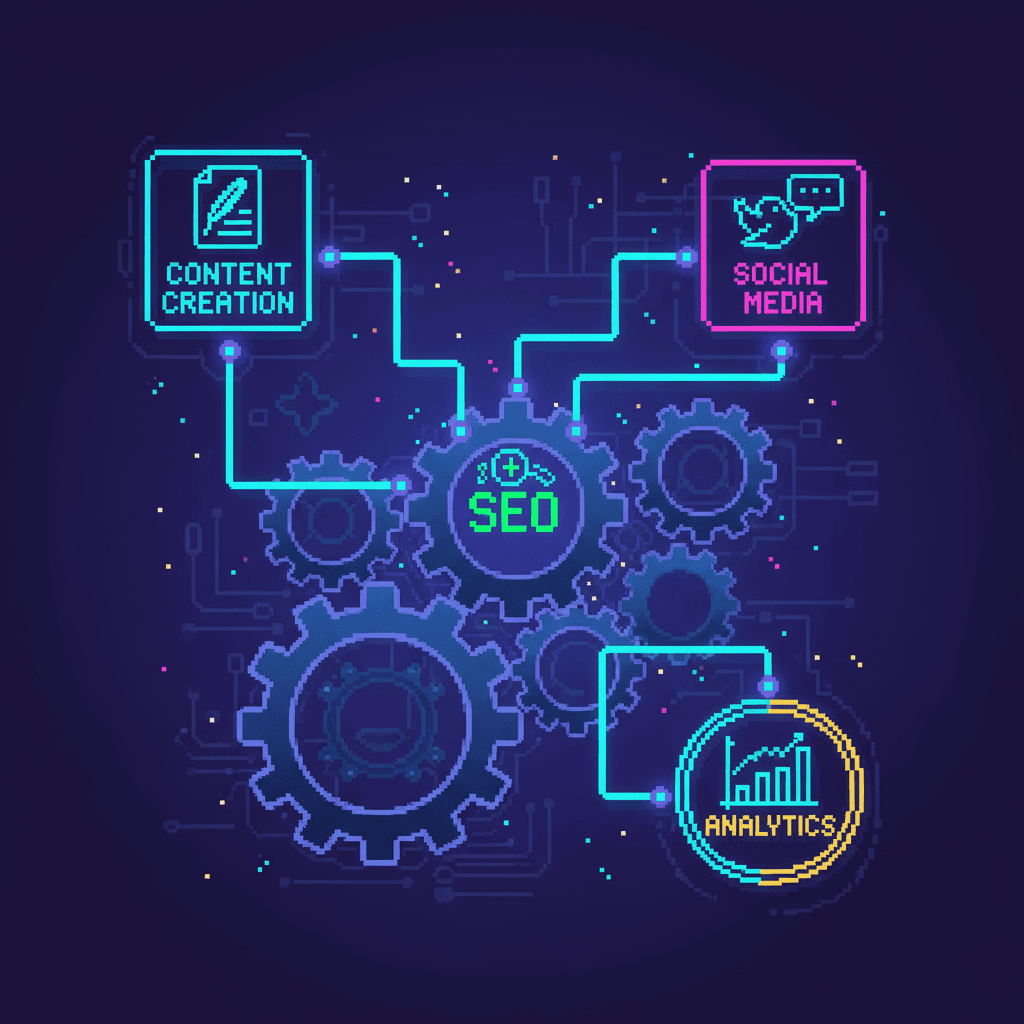
Most marketing workflows follow a 5-stage process: Ideation, Creation, SEO, Distribution, and Analytics. The 7 workflows below map to these stages, giving you coverage across your entire marketing lifecycle. Workflows matter because they deliver consistency, scalability, measurability, and reduced human error. Understanding the difference between AI agents and chatbots helps you choose the right tools, since agents chain multiple actions together while chatbots handle single tasks.
Workflow 1: AI-Powered Content Ideation and Brainstorming
Most marketing teams spend hours in brainstorming meetings asking, “What should we write about?” AI turns that open-ended question into a data-driven process.
Step 1: Topic research with AI. Use Perplexity or ChatGPT to analyze trending topics in your niche, pull competitor content gaps, and identify underserved questions. Feed in your industry keywords and let the AI surface patterns you might miss manually.
Step 2: Competitor content analysis. Feed competitor URLs into AI tools to identify what they cover, what they miss, and where you can differentiate.
Step 3: Keyword gap identification. Use Semrush or Ahrefs AI features to find keywords competitors rank for that you do not.
Step 4: Content calendar generation. Ask AI to organize findings into a prioritized content calendar based on search volume, difficulty, and business relevance.
A marketing team at a SaaS startup used this workflow to generate 30 content ideas in 2 hours that previously took a full-day brainstorming session. The ideas were more targeted because they were backed by real search data. According to HubSpot’s State of Marketing Report, teams using AI for content ideation report 30% faster ideation cycles. For a deeper look at how AI agents assist with research tasks, see our comparison guide.
Tools: ChatGPT ($20/mo), Perplexity (free), Semrush AI ($130/mo). Free alternatives: Google Trends plus free AI chatbots.
Quick-Start: Setting Up Your AI Ideation Workflow in 30 Minutes
Step 1: Create a ChatGPT custom instruction describing your business, audience, and content goals.
Step 2: Use a prompt template: “Analyze [competitor URL] and identify 5 content gaps I could fill for [your audience].”
Step 3: Feed results into a Google Sheet for tracking.
Step 4: Repeat weekly for 4 weeks to build a content backlog.
Workflow 2: AI Content Creation Pipeline
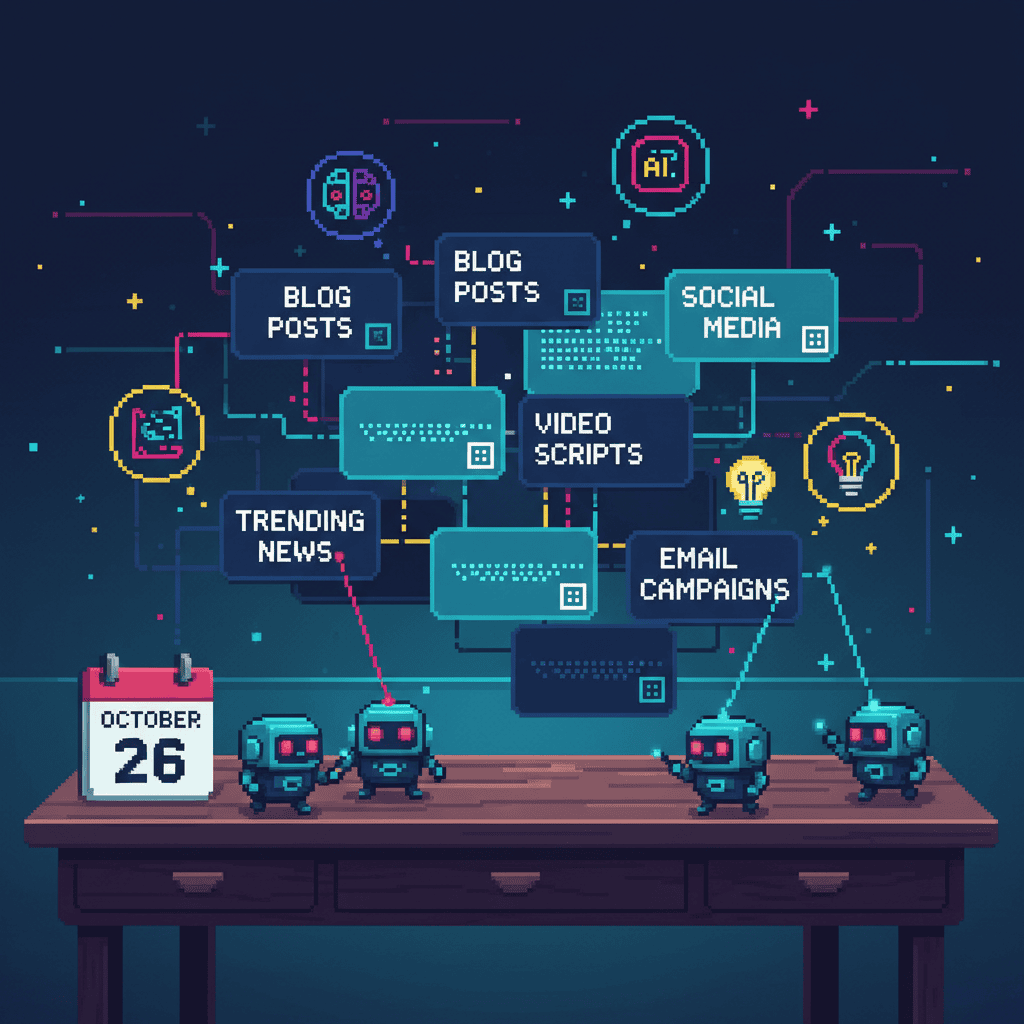
This is the highest-value workflow for most marketing teams. A structured AI content creation pipeline takes you from keyword to published post in a fraction of the time.
Step 1: Brief generation from keywords. Use AI to create detailed content briefs including keyword mapping, outlines, and competitor analysis. A well-designed pipeline turns raw keywords into production-ready briefs.
Step 2: Draft creation with AI assistance. Use ChatGPT or Jasper to generate first drafts based on the brief. Maintain your brand voice through custom instructions, feeding the AI your style guide and example content.
Step 3: Human editing and brand voice alignment. This is the step AI cannot replace. Human editors ensure accuracy, verify claims, and make strategic decisions about emphasis. AI produces the raw material; humans shape it.
Step 4: Image generation and SEO optimization. Use Canva AI or Midjourney for visuals, then run content through Yoast AI or Rank Math for optimization scoring before publishing.
A WordPress-based e-commerce store reduced content production time from 8 hours per post to 3 hours using this pipeline. The quality stayed consistent because the brief guided every decision.
Tools: ChatGPT ($20/mo), Jasper ($49/mo), Canva Pro ($15/mo), Yoast SEO (free).
The Human-AI Balance in Content Creation
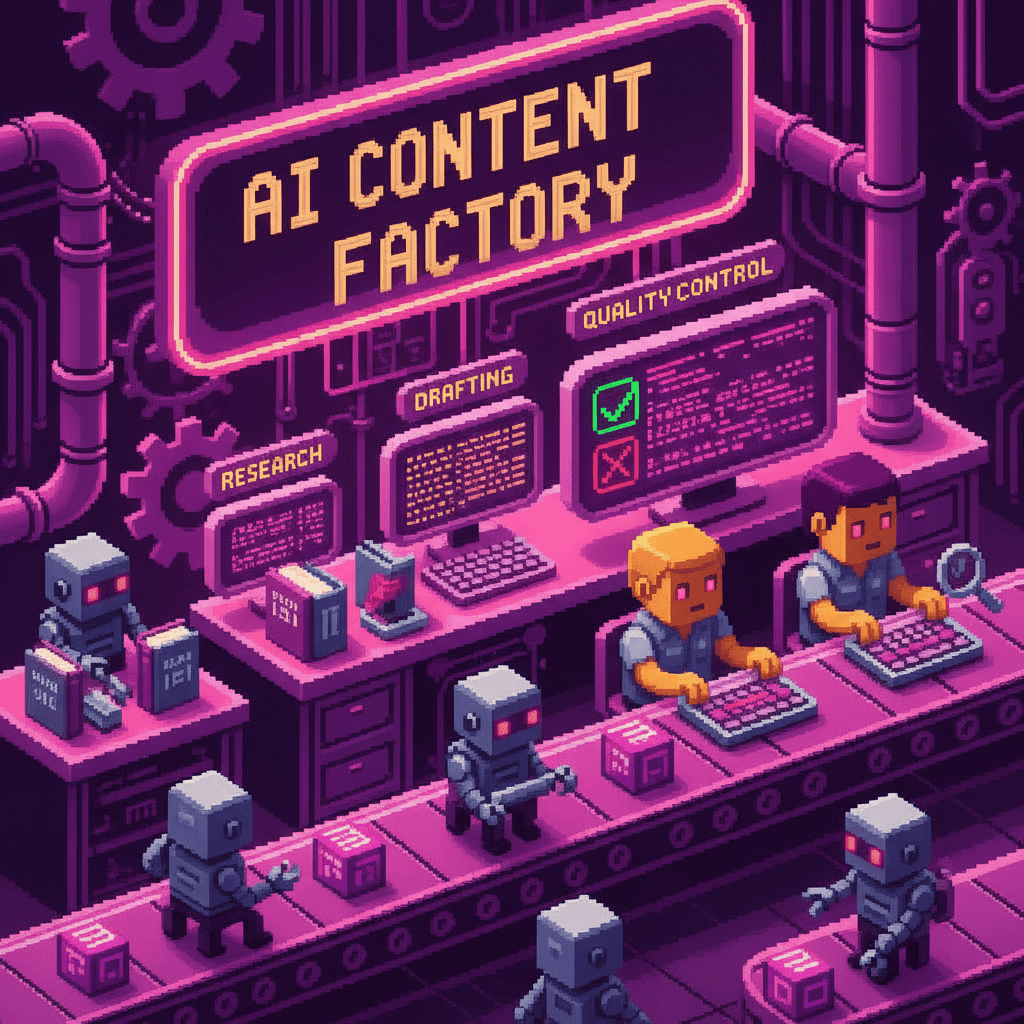
The most effective teams follow a 70/30 rule: AI handles 70% of the production work, humans add the 30% that makes content uniquely valuable. AI excels at research, drafts, optimization, and images. Humans own strategy, brand voice, fact-checking, and final approval.
For lean teams on tight budgets, see our AI strategies for startups for practical approaches without a large tool budget.
Workflow 3: AI-Enhanced SEO Research and Optimization
AI transforms SEO from manual keyword hunting into an automated research engine.
Step 1: Keyword research with AI. Expand seed keywords into long-tail variations, identify search intent, and prioritize by difficulty and volume. A single prompt generates a keyword map that used to take a dedicated SEO specialist an afternoon.
Step 2: SERP analysis automation. Feed top-ranking URLs into AI to extract content patterns, heading structures, and featured snippet formats. AI compares 10 ranking pages in seconds.
Step 3: Content optimization scoring. Run drafts through tools like Clearscope or Semrush to score readability, keyword density, and semantic coverage.
Step 4: Schema markup generation. Use AI to generate JSON-LD schema for articles, FAQs, and HowTo markup to help search engines understand your content.
A local service business improved organic traffic 40% in 3 months by systematizing SEO with AI. The key was running every piece through the same optimization workflow consistently.
Tools: Semrush ($130/mo), Ahrefs ($99/mo), ChatGPT ($20/mo), Yoast AI (free to $99/yr).
WordPress-Specific SEO Automation
WordPress users have a built-in advantage. Rank Math’s AI integration scores content in real time. Yoast AI generates meta descriptions automatically. WP AI plugins also suggest internal linking opportunities as you write. For WordPress-specific SEO including AI citation, see our WordPress LLM optimization guide.
Workflow 4: AI Social Media Management Workflow
Social media demands constant output. AI handles the repetitive parts while your team focuses on authentic engagement.
Step 1: Content repurposing. Use AI to transform one blog post into 10 or more social media posts. A single prompt like “Turn this blog post into 3 LinkedIn posts, 5 Twitter/X posts, 2 Instagram captions, and 1 Facebook long-form post” generates a full week of content in minutes.
Step 2: Scheduling optimization. AI tools analyze audience activity patterns and suggest optimal posting times based on engagement data.
Step 3: Engagement monitoring. Set up AI-powered alerts for brand mentions, competitor activity, and trending topics in your niche.
Step 4: Performance analysis. AI generates weekly reports identifying top-performing content types and audience engagement trends.
A marketing team cut social media management from 10 hours per week to 3 hours per week using AI repurposing and scheduling. The biggest gain came from step one: turning a single blog post into a full week of platform-specific content.
Tools: Hootsuite ($99/mo), Buffer (free to $6/mo per channel), ChatGPT ($20/mo), Canva AI ($15/mo).
The Blog-to-Social Repurposing Template
One blog post becomes: 3 LinkedIn posts (data insight, opinion take, practical tip), 5 Twitter/X posts (key stats, pull quotes, thread hooks), 2 Instagram carousel ideas (step-by-step breakdowns), and 1 Facebook long-form post (summary with personal commentary). Use this prompt: “Take this blog post and create social media content for each platform using the tone that works best there.”
Workflow 5: AI Marketing Analytics and Reporting
Manual report building consumes hours every week and often produces reports nobody reads. AI-powered analytics turns raw data into actionable insights in minutes.
Step 1: Data collection automation. Connect Google Analytics, social metrics, and email data into a single dashboard using Databox or Google Looker Studio.
Step 2: Insight generation. Use AI to analyze trends, identify anomalies, and surface actionable insights. Ask: “What changed this week and why does it matter?”
Step 3: Report creation and action items. AI generates executive summaries with recommendations. Instead of listing numbers, it highlights anomalies and suggests specific next steps.
A marketing director replaced 4 hours of weekly reporting with a 15-minute AI-generated brief. The AI brief was more useful because it highlighted anomalies and recommended actions. Google Analytics Academy documents how AI-powered insights in GA4 surface anomalies automatically.
Tools: Google Analytics AI (free), ChatGPT ($20/mo), Databox ($59/mo).
Building a Weekly AI Marketing Report in 15 Minutes
Step 1: Export key metrics (traffic, conversions, engagement) from your connected dashboards.
Step 2: Feed the data into ChatGPT with a custom prompt asking for trend analysis and anomalies.
Step 3: Review AI-generated insights and action items for accuracy.
Step 4: Share the brief with your team via email or Slack.

Workflow 6: AI Email Marketing Automation
Email marketing remains one of the highest-ROI channels. AI makes it more effective and less time-consuming.
Step 1: List segmentation with AI. Analyze subscriber behavior and create dynamic segments based on engagement patterns, purchase history, and interests. AI identifies natural segments you might miss manually.
Step 2: Subject line optimization. AI generates and A/B tests multiple variations. Tools like Mailchimp compare performance and automatically send the winning version.
Step 3: Content personalization and send time optimization. AI tailors email content based on subscriber segment and determines the best send time for each individual based on their open and click patterns.
A small business improved email open rates 35% and click-through rates 22% using AI-powered subject line testing and send time optimization. Mailchimp’s 2025 email benchmarks show that segmented and optimized campaigns consistently outperform generic sends across industries.
Tools: Mailchimp AI (free up to 500 contacts), HubSpot ($45/mo), ChatGPT ($20/mo).
Workflow 7: Building Your AI Marketing Tech Stack
The final workflow is the glue that connects everything. Your tech stack determines how well your other workflows integrate and scale.
The essential stack includes ChatGPT for writing, Canva for design, one scheduling tool, and one analytics tool. Start with these four and expand as workflows mature. Integration matters more than individual tool quality: make sure tools connect via Zapier or native integrations so data flows without manual exports.
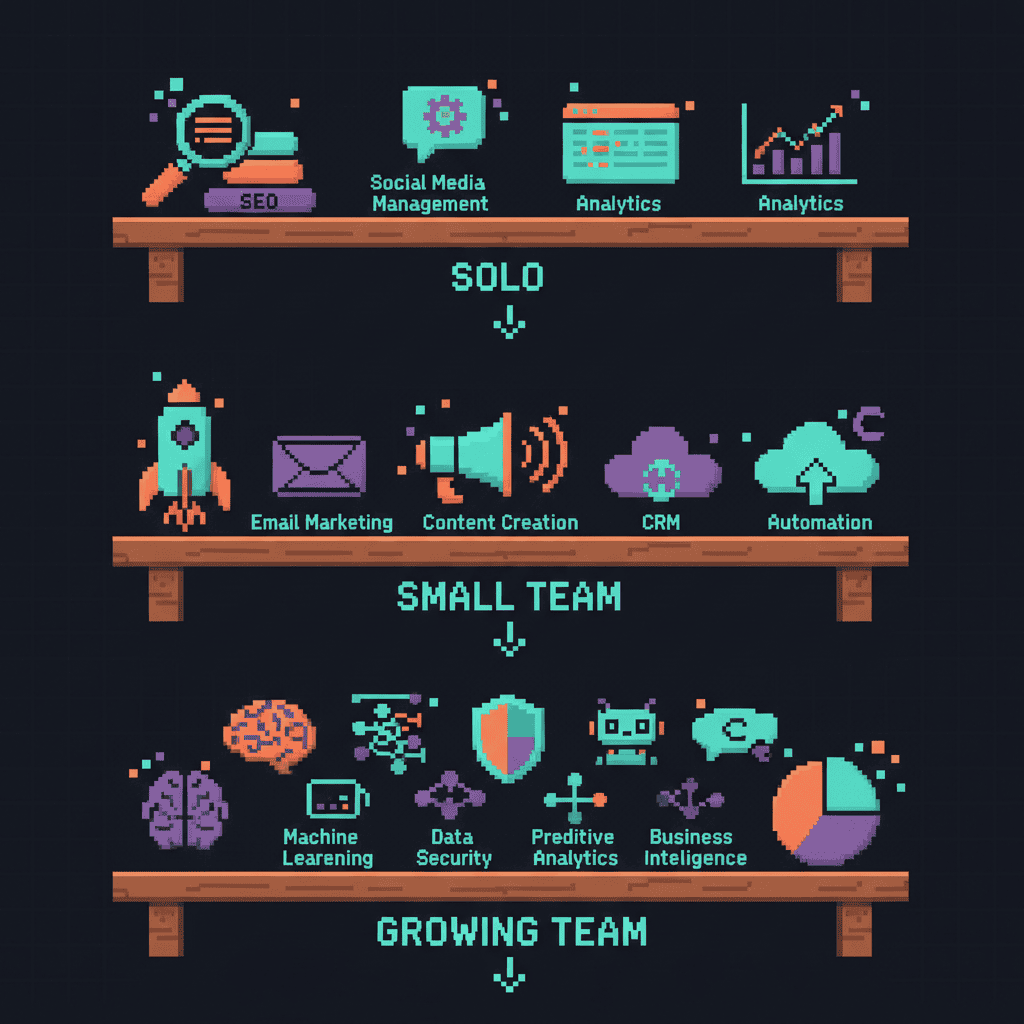
AI Marketing Tech Stack by Team Size
Solo marketer ($0 to $50/mo): ChatGPT free, Buffer free, Google Analytics free, Canva free. Total: $0/mo.
Small team, 2 to 5 people ($100 to $300/mo): ChatGPT Plus ($20), Canva Pro ($15), Hootsuite ($99), Semrush ($130). Total: ~$264/mo.
Growing team, 5 to 10 people ($500 to $1,000/mo): Jasper ($49), HubSpot ($45), Semrush ($130), Hootsuite ($99), Databox ($59). Total: ~$382/mo.
WordPress-specific tools to consider: Jetpack AI for content assistance, Rank Math AI for SEO, and Elementor AI for page design, all working inside WordPress.
For the philosophy behind AI as augmentation rather than replacement, see our deep dive on how AI transforms work.
How to Implement These Workflows in Your Team
Knowing these workflows exist is not the same as having them running. Here is how to go from reading this guide to having your first workflow operational.
1. Start with one workflow. Pick the one that addresses your biggest pain point. Do not try to implement all 7 at once. In our experience, teams that start with one workflow succeed faster.
2. Assign a workflow owner. One person per workflow ensures accountability and builds expertise. This person learns the tools, refines the process, and trains others.
3. Measure before and after. Track time spent, output quality, and results for 4 weeks. Without measurement, you are guessing.
4. Scale what works. Once one workflow runs smoothly, add the next. Each successful workflow makes the next easier as your team builds AI fluency.
5. Document everything. Create standard operating procedures so workflows survive team changes. Write down prompts, tool settings, and step-by-step processes.
AI Implementation Checklist
- Identify your biggest marketing bottleneck
- Choose one workflow from this guide
- Select tools (start with free tiers)
- Set up the workflow with one team member
- Run for 4 weeks, measure results
- Optimize and document the process
- Add the next workflow
Common pitfalls: trying to automate everything at once, skipping human review, choosing tools before understanding processes, and not training the team. We implement these systems for clients daily, and the teams that succeed take an iterative approach. For teams working with limited budgets, see our guide to lean AI strategies.
If you want help building AI marketing workflows tailored to your team, contact Pixel Studio Creations.
Conclusion: Start With One Workflow Today
These 7 workflows cover the entire marketing lifecycle. You do not need all of them. Pick the one that solves your biggest problem and start there.
Content ideation and social media repurposing deliver the fastest ROI for most teams. They require minimal setup, produce immediate time savings, and build confidence with AI tools. Once those are running, opportunities for the next workflow appear naturally.
The teams getting the most value from AI are not the ones with the biggest budgets. They are the ones that built repeatable workflows and stuck with them. A simple system run consistently beats a complex system that sits unused.
Know a marketing team drowning in manual tasks? Share this guide.
Ready to build AI marketing workflows that work for your team? Contact Pixel Studio Creations for a free consultation. We help marketing teams implement these systems from scratch and optimize existing ones.
Frequently Asked Questions About AI Marketing Workflows
What are the best AI tools for marketing teams?
The best AI tools depend on your workflow needs. For content creation, ChatGPT and Jasper lead. For SEO, Semrush and Ahrefs offer AI-powered research. For social media, Hootsuite and Buffer include scheduling and analytics. For email, Mailchimp and HubSpot provide personalization. Most teams start with ChatGPT and expand from there.
How can AI automate marketing workflows?
AI automates marketing by handling repetitive tasks across the lifecycle: researching topics, drafting content, optimizing for SEO, scheduling posts, analyzing data, and generating reports. The key is building repeatable processes rather than using AI randomly. Start with one workflow and expand as you see results.
How do I implement AI in my marketing team?
Identify your biggest bottleneck, choose one workflow, select tools that fit your budget (many have free tiers), assign an owner, and run it for 4 weeks while measuring results. Document the process as an SOP, then add the next workflow once the first runs smoothly.
What marketing tasks can AI automate?
AI can automate content research, first-draft writing, SEO keyword research, social media scheduling, email subject line testing, data analysis, reporting, and competitor monitoring. Tasks requiring human judgment, like brand strategy and relationships, should remain human-led with AI assistance.
How does AI help with content creation?
AI helps by generating research-backed briefs, producing first drafts, suggesting SEO optimizations, creating images, and repurposing across formats. The most effective approach uses AI for 70% of production work while humans handle strategy, editing, and brand voice.
What is AI workflow automation?
AI workflow automation connects multiple AI tools into a repeatable end-to-end process. An AI content workflow might research topics, generate briefs, draft posts, optimize for SEO, and schedule publication, all in one systematic pipeline.
How do marketing teams use AI for SEO?
Teams use AI for SEO by automating keyword research, analyzing competitor content, generating meta descriptions, scoring content optimization, creating schema markup, and identifying internal linking opportunities. AI turns SEO from a manual process into a streamlined workflow.
What are the benefits of AI in marketing?
The main benefits are increased efficiency (20% to 40% time savings on repetitive tasks), improved content quality through data-driven optimization, faster time-to-publish, better ROI measurement, and the ability for small teams to compete with larger organizations. McKinsey’s 2025 State of AI report found that marketing departments are among the fastest adopters of generative AI for routine workflows.
Published: July 10, 2026. Last updated: July 10, 2026.